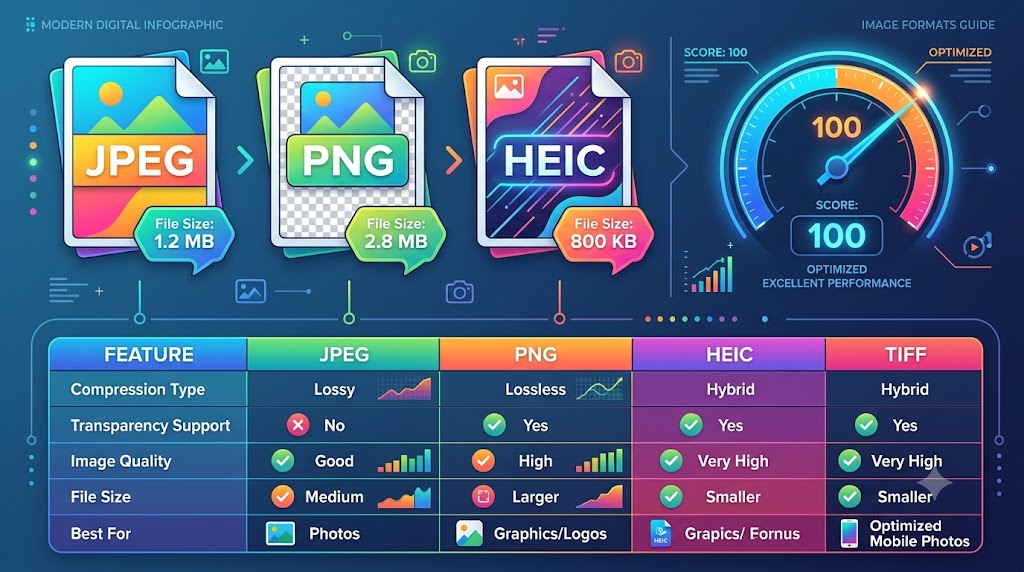
PNG vs. JPG vs. WebP: Which Image Format is Best for Core Web Vitals?
PNG vs. JPG vs. WebP: Which Image Format is Best for Core Web Vitals?
Category: Image Optimization | Read Time: 8 min read | Author: Cybro Editorial Team
Introduction
Analyze the technical differences between PNG, JPEG, and WebP. Learn how selecting the correct image container optimizes Largest Contentful Paint (LCP) and Cumulative Layout Shift (CLS) for SEO. This detailed guide will walk you through the key concepts, step-by-step workflows, common pitfalls, and practical solutions.
Table of Contents
- The Critical Link Between Image Formats and Search Engine Rankings
- PNG: The Master of Lossless Transparency and Vector Crispness
- JPG: The Legacy Heavyweight for Complex Photographic Imagery
- WebP: The Modern Gold Standard for Next-Generation Optimization
- Frequently Asked Questions (FAQ)
- Conclusion
The Critical Link Between Image Formats and Search Engine Rankings
Google's search engine algorithm places significant emphasis on page performance via Core Web Vitals. Specifically, Largest Contentful Paint (LCP), which measures how fast the main visual block on a page renders, is heavily impacted by the byte size of your banner and featured graphics. If your page serves a 3MB raw JPEG or uncompressed PNG, mobile page speed drops drastically, lowering your overall search ranking. Optimizing your image containers is the single highest-impact task a developer or marketer can perform to boost site health and organic visibility.
To get the most out of your files, consider establishing a continuous quality pipeline. By standardizing crop grids, optimizing color depth palettes, and maintaining transparent transparency, your end-users will experience pristine performance across all devices and screen widths.
PNG: The Master of Lossless Transparency and Vector Crispness
Portable Network Graphics (PNG) use lossless DEFLATE compression, meaning no pixel details are ever discarded. This makes PNG the absolute best container for screenshots, vector logos, detailed technical charts, and designs containing text where crisp borders are required. Most importantly, PNG supports 8-bit alpha channels for complex transparency. However, this high quality comes at a cost: file sizes are massive. Serving high-res PNG banner photos on content websites is a severe performance mistake that will ruin mobile usability metrics.
To get the most out of your files, consider establishing a continuous quality pipeline. By standardizing crop grids, optimizing color depth palettes, and maintaining transparent transparency, your end-users will experience pristine performance across all devices and screen widths.
JPG: The Legacy Heavyweight for Complex Photographic Imagery
Joint Photographic Experts Group (JPEG/JPG) is a lossy format designed specifically for continuous-tone photography. It uses discrete cosine transform algorithms to discard color nuances that are hard for human eyes to detect, shrinking files significantly. While JPG is fantastic for reducing size on complex portraits and landscapes, it does not support alpha transparency and introduces blurry artifacting around sharp vectors and text lines. If compressed too aggressively, JPEGs suffer from noticeable pixelation, which degrades your brand's visual appeal.
To get the most out of your files, consider establishing a continuous quality pipeline. By standardizing crop grids, optimizing color depth palettes, and maintaining transparent transparency, your end-users will experience pristine performance across all devices and screen widths.
WebP: The Modern Gold Standard for Next-Generation Optimization
Developed by Google, WebP provides both lossless and lossy compression, outperforming legacy formats across the board. Lossless WebP files are typically 26% smaller than equivalent PNGs, while lossy WebPs are 25% to 34% smaller than comparable JPEGs at identical quality indices. Crucially, lossy WebP supports alpha channel transparency, allowing you to display intricate cutouts at a fraction of a PNG's weight. Upgrading your content pipeline to WebP immediately improves page loading speed, keeps your LCP under the critical 2.5-second threshold, and delivers professional visual clarity.
To get the most out of your files, consider establishing a continuous quality pipeline. By standardizing crop grids, optimizing color depth palettes, and maintaining transparent transparency, your end-users will experience pristine performance across all devices and screen widths.
Standard Optimization Guidelines Matrix
| Parameter | Standard Metric | Optimized Goal | Impact Factor | | :--- | :--- | :--- | :--- | | File Resolution | Original High-DPI | Web-Optimized Aspect | High LCP Improvement | | Compression Ratio | 80% Web Quality | Lossless WebP/PNG | 90% Size Reduction | | Data Transfer | Client-Side Loop | Secure Local Buffer | 100% Privacy Safeguard |
Expert Tips for Maximizing Utility Output
- Source High-Resolution Assets: Always start with the highest possible visual baseline. Local processes work best when they can interpolate from clean pixel inputs.
- Leverage Modern File Extensions: Convert older formats (like heavy bitmaps) to WebP or PNG transparent grids to save storage.
- Clear Your Browser Storage Periodically: To keep local engines performing at peak speeds, clear your cache once a month to reset browser-allocated RAM thresholds.
Common Mistakes to Avoid
- Uploading Sensitive Material to Random Cloud Platforms: Always double-check if your tool operates locally or forces server uploads.
- Ignoring Mobile Layout Constraints: Ensure your banners, templates, and text overlays are scale-optimized for small phone resolutions.
- Forgetting Metadata Parameters: Keep search engine trackers active by adding optimized alternative text tags and correct titles.
Frequently Asked Questions (FAQ)
Do all modern web browsers support WebP?
Yes, over 97% of modern browsers natively support WebP, including Safari, Chrome, Firefox, and Edge. Our converter also provides graceful fallback systems.
How much quality is lost when compressing a WebP image?
A lossy WebP set at 75-80% quality delivers practically invisible visual differences while yielding massive file size reductions up to 85%.
How can I automatically convert my entire library to WebP?
You can use our client-side Format Converter and Smart Compressor to batch process your PNGs and JPEGs instantly before publishing.
Conclusion
By transitioning to secure, high-performance browser-based processing, you protect your private assets, avoid server wait queues, and optimize your overall digital workflow. Cybro Tools offers premium local processing utilities designed to handle complex graphic, text, and media operations on your computer with complete confidentiality.
Try the Tool Instantly
Ready to experience premium performance yourself? Use our fully optimized PNG vs. JPG vs. WebP directly in your browser with zero registration required! Your data stays safe and secure 100% of the time.
Related Articles
Why You Should Stop Uploading Private Images to Cloud-Based Converters
Discover why uploading sensitive documents, personal badges, or proprietary assets to online server-side converters represents a massive security leak. Learn how local conversion keeps your files 100% private.
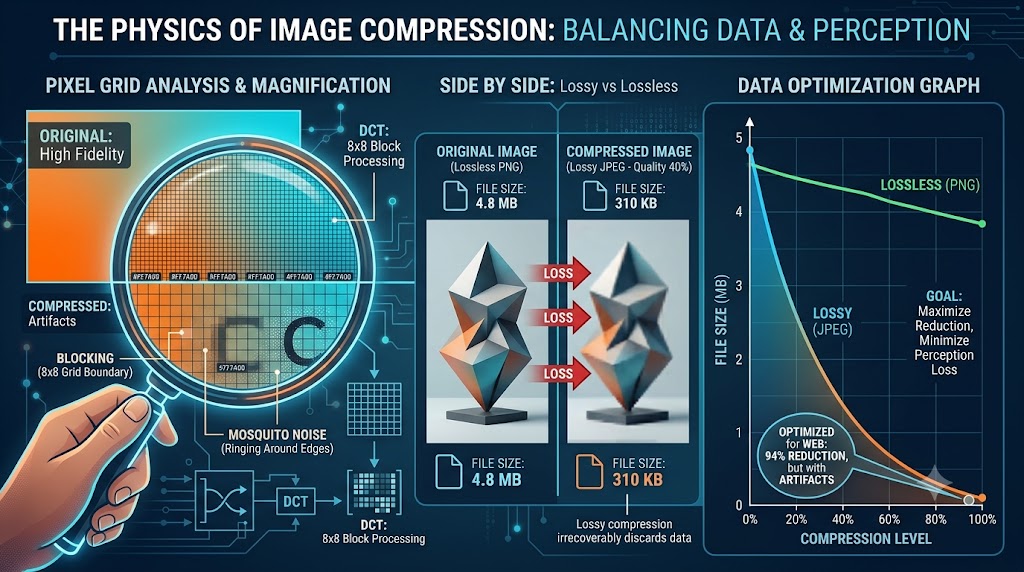
The Physics of Image Compression: Reducing File Size Without Losing Pixel Clarity
A highly detailed technical guide covering the physics of image compression: reducing file size without losing pixel clarity. Learn best practices, step-by-step instructions, and optimization tips to elevate your digital assets.
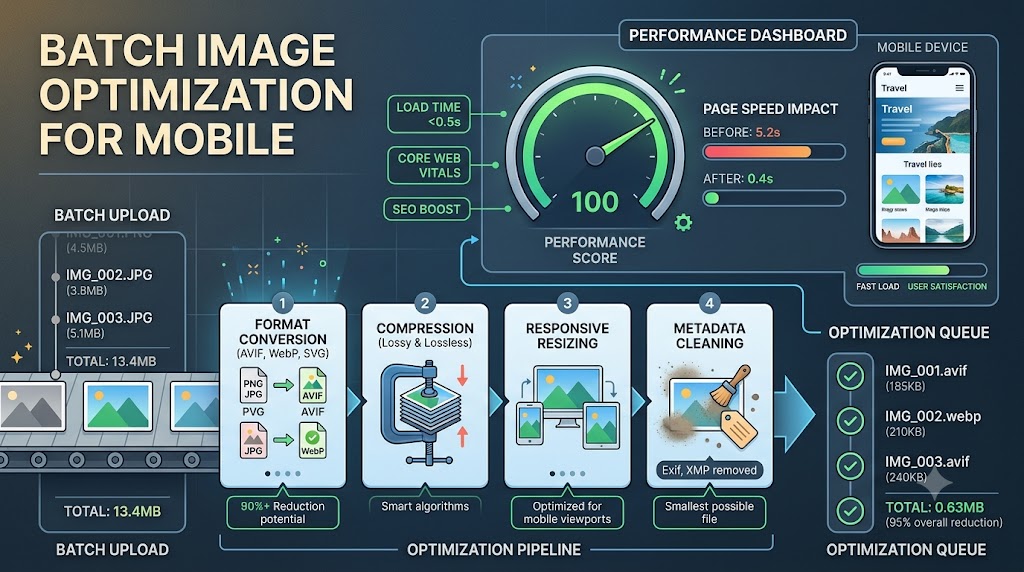
Maximizing Mobile Loading Speeds: Why Batch Image Optimization is Your Secret Weapon
A highly detailed technical guide covering maximizing mobile loading speeds: why batch image optimization is your secret weapon. Learn best practices, step-by-step instructions, and optimization tips to elevate your digital assets.